AT&T Secure Family® parent app
- 4.5
- Rating
- 10.00M
- Installs
- Free
- Price

 Analysis by App-foxy
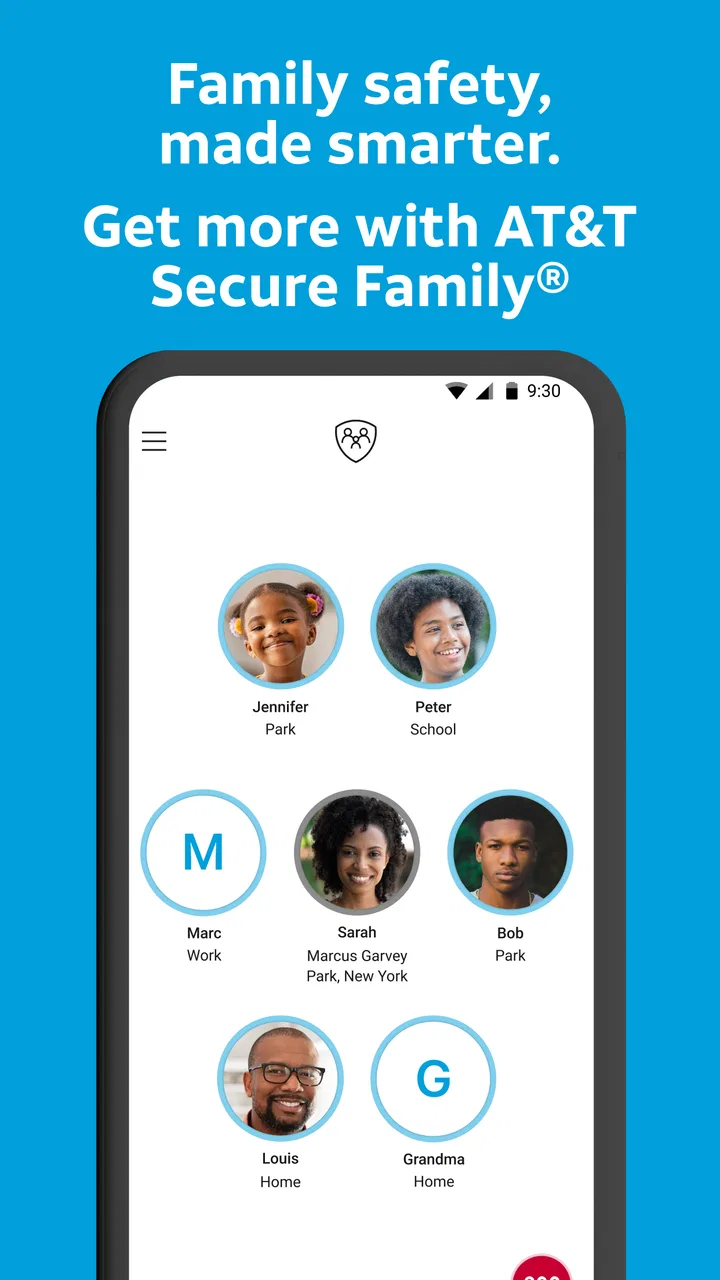
I approached AT&T Secure Family® as a parent looking for practical help with family location and screen habits, not as a replacement for conversation or supervision. It is a free lifestyle app from AT&T Services, Inc. that brings location tracking, parental controls, screen-time limits, and app blocking into one place. That combination makes it more useful than a simple “where is my child?” tool, but it also means the app deserves a careful look at privacy, permissions, account access, and the amount of control a family is comfortable handing to one service.
After spending time with the parent-focused workflow, my impression is fairly clear: this is most appealing when a family wants one central dashboard for safety routines and digital boundaries. It is less convincing for someone who only needs occasional location sharing, or for older teenagers who expect a high degree of independence. The controls can be valuable, but the quality of the experience depends heavily on honest family agreements and on configuring the app thoughtfully rather than turning every setting on immediately.
What kind of trust does this app ask for?
The first thing I noticed is that the app combines two sensitive areas: a child’s physical whereabouts and their phone use. Those are not the same kind of information. Location can answer whether someone arrived safely, while screen controls affect how and when they use a device. Putting both functions together is convenient, but it also makes the parent account an important point of responsibility.
You May Also Like

 Pandora - Music & Podcasts
Pandora’s Music Is Easy to Start, but Harder to Recover
Pandora’s strength is its low-effort path from a seed to a station. Its weak spot is how much confidence it asks you to place in connection, setup, and quiet recovery.

 AccuWeather: Weather Radar
AccuWeather Review: A Quick, Clear Forecast for Everyday Decisions
For everyday plans, the best forecast is the one you can understand quickly. AccuWeather makes rain timing, radar, and local conditions easy to act on, with a few trade-offs.

 Hill Climb Racing
Why Hill Climb Racing Still Turns Crashes Into One More Run
A tiny car, a bumpy hill and one more upgrade: Hill Climb Racing keeps resurfacing because its simple chaos makes every near-miss feel personal.

 AliExpress - Shopping App
AliExpress Makes Global Shopping Feel Personal, but Shoppers Bear the Risk
AliExpress turns a global marketplace into a pocket-sized discovery engine. Its reach is useful, its shopping loop compelling, and its trade-offs easy to miss.

 Lords Mobile: Kingdom Wars
Lords Mobile Is a Kingdom-Building Routine, Not a Quick Match
A case-by-case verdict on the building, battles, device demands, and social commitments that make Lords Mobile rewarding for some players and exhausting for others.

 PDF Scanner app - TapScanner
TapScanner Makes Paperwork Easier to Capture, Check, and Share
TapScanner makes scanning with a phone feel less like a rescue operation and more like a dependable step in getting work done. Its capture tools are useful, though not flawless.
More From Our News Desk
View All News


AT&T Secure Family® has been available since April 26, 2010, and its current version is 12.1.2. It has reached over 10 million installs, with an average rating of 4.5 from around 40 thousand ratings and roughly 9.9 thousand written reviews. Those figures suggest that the app has broad visibility and an established user base, although popularity alone should not decide whether it fits your household.
I would treat the app as a family coordination tool rather than a silent monitoring device. Before installing it, I would explain what information is being used, when location checks are appropriate, and which restrictions are temporary. That conversation matters because a technically effective control can still damage trust if a child feels watched without understanding the rules.
The age rating is Everyone, which makes the app approachable for a broad audience. That label does not remove the need for parental judgment, especially when the app is used to manage another person’s location or phone behavior. The parent should remain responsible for deciding how much oversight is reasonable at a particular age.
Where the central dashboard helps
The strongest idea here is consolidation. Instead of switching between a location-sharing service, a separate screen-time tool, and the phone’s own app settings, a parent can start with one family-oriented control point. In everyday use, that can reduce the small bits of friction that cause safety routines to be abandoned.
A realistic example would be a school-day routine. I might use the location feature to check whether my child has reached an expected destination, then use the screen controls to support a homework period. Later, I could loosen the restriction for normal evening use. The value is not that the app makes parenting automatic; it is that the routine is easier to manage from one place.
There is also a useful distinction between location and behavior controls. A family may want location access for a younger child traveling independently but may not need aggressive app blocking. Another family may mainly want limits around games or social apps while using location only for trips. I would configure those areas separately instead of treating the app as an all-or-nothing surveillance package.
The app’s free price lowers the barrier to trying it. However, in-app purchases are listed at $7.99 per item, so I would review any upgrade or purchase prompt carefully before confirming it. A parent should know which controls are available without payment and which ones may involve an additional charge, rather than assuming that every visible option belongs to the free experience.
Controls are useful only when the rules are clear
Screen-time limits sound simple, but the practical question is what happens when a limit conflicts with real life. A child may need a blocked app for a school assignment, a family may be traveling across time zones, or a delayed activity may push bedtime later than expected. I would treat limits as adjustable boundaries, not permanent punishments.
App blocking can be particularly helpful when one or two applications repeatedly interrupt sleep, study, or family time. The more focused the rule, the easier it is to explain and maintain. Blocking everything can create unnecessary arguments and encourage a child to see the parent account as an obstacle rather than a safety tool.
My preferred workflow would be to begin with a small, visible rule: limit a specific distraction during homework, explain when the restriction ends, and review whether it worked. That approach gives the child a predictable expectation and gives the parent a chance to notice whether the control solves the problem. It is more constructive than changing several settings at once and then trying to work out which one caused frustration.
Location tracking also benefits from a defined purpose. “Check in when you arrive” is easier to understand than unrestricted checking throughout the day. If the family agrees on when location is used, the feature can support independence instead of replacing it. I would also avoid using a location result as proof of what someone is doing; a map position can provide context, but it cannot explain every situation.
Permissions and data-sensitive moments
Location is the most sensitive part of this type of app, so I would pay close attention during setup to the permissions requested and to the choices shown on screen. I would read each prompt rather than accepting everything automatically. The exact permission options can depend on the device and operating system, and the important habit is to understand what the app is asking for before relying on it.
I would also check the account controls carefully. A parent should know which account manages the family setup, who can access it, and how another family member is added or removed. Those details are easy to overlook when the immediate goal is simply getting the app running, yet they determine who can view or change sensitive settings.
Data-sensitive moments are not limited to installation. They can occur when a child changes phones, when a device is shared, when a parent signs in on a new handset, or when a family member no longer needs access. I would make account review part of the household routine, especially after a phone is replaced or a relationship between caregivers changes.
Another practical point is that a location-based experience depends on the child’s device being available and configured appropriately. A parent should not assume that a map view is an infallible safety signal. Battery state, connectivity, device settings, and permission choices can affect what the parent sees. For urgent situations, I would use direct communication and appropriate emergency channels rather than relying on an app screen alone.
The same caution applies to screen controls. A restriction is not a substitute for checking whether a child can reach a parent, school, or emergency contact when needed. Before applying a broad block, I would make sure essential communication remains possible and that the child knows how to ask for an exception.
How much agency does the family keep?
The app gives the parent significant authority, but good use depends on preserving some agency for the child. I would explain the purpose of each control, set a review point, and allow the child to raise practical problems. That does not mean every limit is negotiable; it means the rules are understandable and can be corrected when they no longer match reality.
For younger children, stronger parent-led controls may feel appropriate. For teenagers, a gradual shift toward agreed check-ins and fewer restrictions may work better. The app can support either approach, but it cannot decide where a particular family should draw that line. A parent who wants complete independence for an older child may find the control-focused design uncomfortable, even if the features work as intended.
I would be especially careful with location checks during ordinary disagreements. Using the map to settle every argument can turn a safety feature into a source of conflict. A healthier pattern is to reserve it for agreed safety purposes, such as travel, pickup coordination, or a missed check-in, and to discuss changes openly.
There is a useful trade-off between convenience and transparency. A single dashboard is easier for a parent than managing separate tools, but centralization also means one account carries more responsibility. I would use a strong, private sign-in method, avoid leaving the parent account open on a shared device, and review the family setup whenever access needs change. These are simple steps, but they matter more here than decorative interface details.
How it compares with simpler alternatives
If all I wanted were occasional family location sharing, I would first consider the location tools already built into the phones in the household. They may be enough for basic check-ins and could feel less intrusive because they do not also manage screen time and app access. Choosing the simpler option makes sense when extra controls would never be used.
On the other hand, a phone’s built-in screen settings may require a parent to manage restrictions separately from location. That can be perfectly acceptable for a technically confident family, but it may feel fragmented when the goal is one routine. AT&T Secure Family® is more compelling when the household genuinely wants both kinds of oversight and values having them together.
Dedicated parental-control products may offer a different balance of reporting, device support, or family administration. I would compare them based on the exact phones being used, the permissions they require, the clarity of their account controls, and whether their approach suits the child’s age. More features are not automatically better if they make the rules harder to understand.
The app is also not the right choice for someone seeking a private, child-led safety arrangement with minimal parent intervention. Its appeal comes from active parental management. If your family prefers mutual location sharing, occasional check-ins, and device-native limits, a lighter setup may create less friction.
Small habits that make the setup safer
I would begin by writing down the purpose of each enabled feature in plain language. For example, location might be used for travel coordination, while an app limit might apply during homework. This prevents a broad tool from becoming an unclear collection of restrictions.
Next, I would test the routine during a normal day rather than waiting for a stressful moment. Check whether the parent can find the relevant controls, whether the child understands the expectation, and whether important communication remains practical. A short trial can reveal confusion before the family depends on the setup.
I would also schedule a regular review whenever a child’s independence changes. A rule that made sense at the start of a school term may be excessive after a new commute, activity, or responsibility begins. Removing an unnecessary control is just as important as adding one.
Finally, I would keep the parent account limited to the people who genuinely need it. The more people who can view location or alter restrictions, the harder it becomes to maintain a clear record of who changed what. Account access is part of family safety, not an administrative detail to ignore.
My cautious verdict
After weighing the convenience against the responsibility, I see AT&T Secure Family® as a sensible option for parents who want location tracking and digital boundaries in the same lifestyle app. Its free entry point, familiar purpose, and broad availability make it easy to consider, while the combination of controls gives it more practical range than a basic location-sharing tool.
My recommendation comes with conditions. I would use it openly, configure only the controls that solve a real problem, and revisit them as the child becomes more independent. I would not rely on it as an emergency service, assume that a map view explains behavior, or use app blocking without protecting essential communication.
For a family that wants a parent-managed dashboard and is willing to discuss privacy and permissions honestly, it is worth trying. For a family that needs only occasional location sharing, or one that prioritizes minimal monitoring, a simpler alternative may be a better fit. The app’s real strength is not total control; it is giving parents a structured way to support safety and screen habits when that responsibility is shared clearly.
FAQs for AT&T Secure Family® parent app
01What is the AT&T Secure Family® parent app used for?
AT&T Secure Family® is designed to help parents manage and supervise a child’s smartphone use. From the parent app, you can review device location, set screen-time schedules, pause internet access, apply content filters, and manage approved contacts or apps, depending on the child’s device and AT&T plan. It is intended as a family safety and parental-control tool, not as a replacement for conversations about responsible technology use.
02Does AT&T Secure Family® work with every phone and mobile carrier?
Compatibility depends on the child’s device, operating system, wireless carrier, and the features included with your AT&T account. The app is primarily built for AT&T wireless customers, and some controls may require installing a companion app on the child’s phone. Before downloading, check the current Google Play or App Store listing and AT&T’s eligibility information, because supported features, operating-system requirements, and availability can change over time.
03Can parents track a child’s location with AT&T Secure Family®?
The app can provide location features for eligible family members when location services, permissions, connectivity, and the required companion setup are enabled. Location results may not always be exact or immediate, particularly indoors, in areas with weak cellular coverage, or when the child’s phone battery is low. Parents should explain location sharing clearly and verify that the feature is configured correctly rather than treating it as an emergency-tracking service.
04Can AT&T Secure Family® block apps, websites, or internet access?
Depending on the plan and device, parents may be able to create content filters, manage app usage, establish screen-time limits, schedule downtime, or pause a child’s cellular data connection. These controls are not guaranteed to block every form of online content, especially when a child uses Wi-Fi, another device, a VPN, or an account that is not properly linked. Review the available controls after setup and test them before relying on them.
05Is AT&T Secure Family® free, and what should I know about privacy?
The app may be available to download without an upfront charge, but certain features or the full service can require an eligible AT&T plan or recurring subscription. Review the current pricing and terms before activating premium tools. Because the service can process information such as device activity, location, contacts, or usage settings, parents should read AT&T’s privacy policy, understand permission requests, secure their account, and discuss monitoring expectations with older children.
Pros
- Locate family members with real-time GPS tracking and location history.
- Set customizable screen-time limits for individual children and devices.
- Create geofenced places and receive alerts when family members arrive or leave.
- Pause a child’s internet access remotely during homework or bedtime.
- Works with AT&T wireless accounts for convenient family-plan management.
Cons
- Many features require an eligible AT&T wireless plan and account.
- Location accuracy may vary indoors or in areas with weak cellular coverage.
- Children may receive notifications when tracking or restrictions are active.
- Battery usage can increase when continuous location sharing is enabled.
- Some controls depend on the child’s device settings and internet connection.

AT&T Secure Family® parent app
Gallery